

Muscle Slider - LoRA

- Prompt
- photo of an elderly, man and woman with grey hair, cooking in the kitchen, center shot, apron
- Negative Prompt
- nude, nsfw, cartoon, cgi, render, illustration, painting, drawing, bad quality, grainy, low resolution
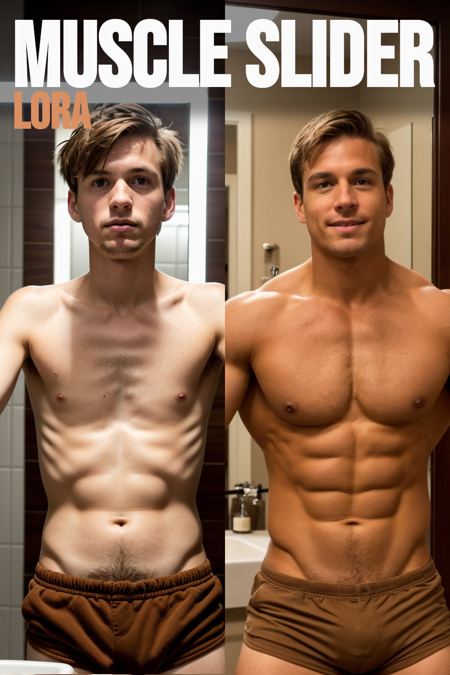
- Prompt
- photo of a man with light brown hair, looking at himself in a bathroom mirror, shorts, shirtless
- Negative Prompt
- (shirt:1.2), cartoon, cgi, render, illustration, painting, drawing, bad quality, grainy, low resolution
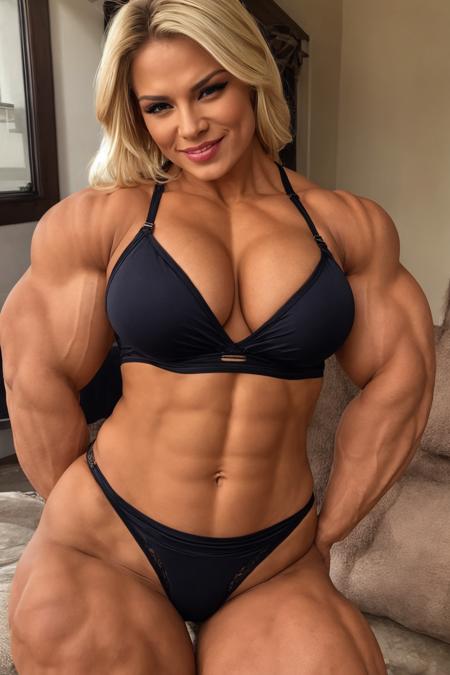
- Prompt
- photo of a blonde woman in lingerie
- Negative Prompt
- nude, cartoon, cgi, render, illustration, painting, drawing, bad quality, grainy, low resolution
Model description
Simple LoRA to help with adjusting a subjects muscle mass. You can swing it both ways pretty far out from -3 to +5 without much distortion. Positive gives them more muscles. Negative gives them less muscles.
One issue you will find is that the more muscles they get, the more tan they get, and vise versa. Bodybuilders grease themselves up with shoe polish, and muscular guys probably get more sun... Probably as simple as that. I will try to find a way to regularize it so it is less pronounced. If you use my Skin Tone Slider you can counteract that effect.
Download model
Weights for this model are available in Safetensors format.
Download them in the Files & versions tab.
Use it with the 🧨 diffusers library
from diffusers import AutoPipelineForText2Image
import torch

pipeline = AutoPipelineForText2Image.from_pretrained('runwayml/stable-diffusion-v1-5', torch_dtype=torch.float16).to('cuda')
pipeline.load_lora_weights('ostris/muscle-slider-lora', weight_name='muscle_slider_v1.safetensors')
image = pipeline('photo of a blonde woman in  lingerie  ').images[0]
For more details, including weighting, merging and fusing LoRAs, check the documentation on loading LoRAs in diffusers
- Downloads last month
- 30
Model tree for ostris/muscle-slider-lora
Base model
runwayml/stable-diffusion-v1-5